



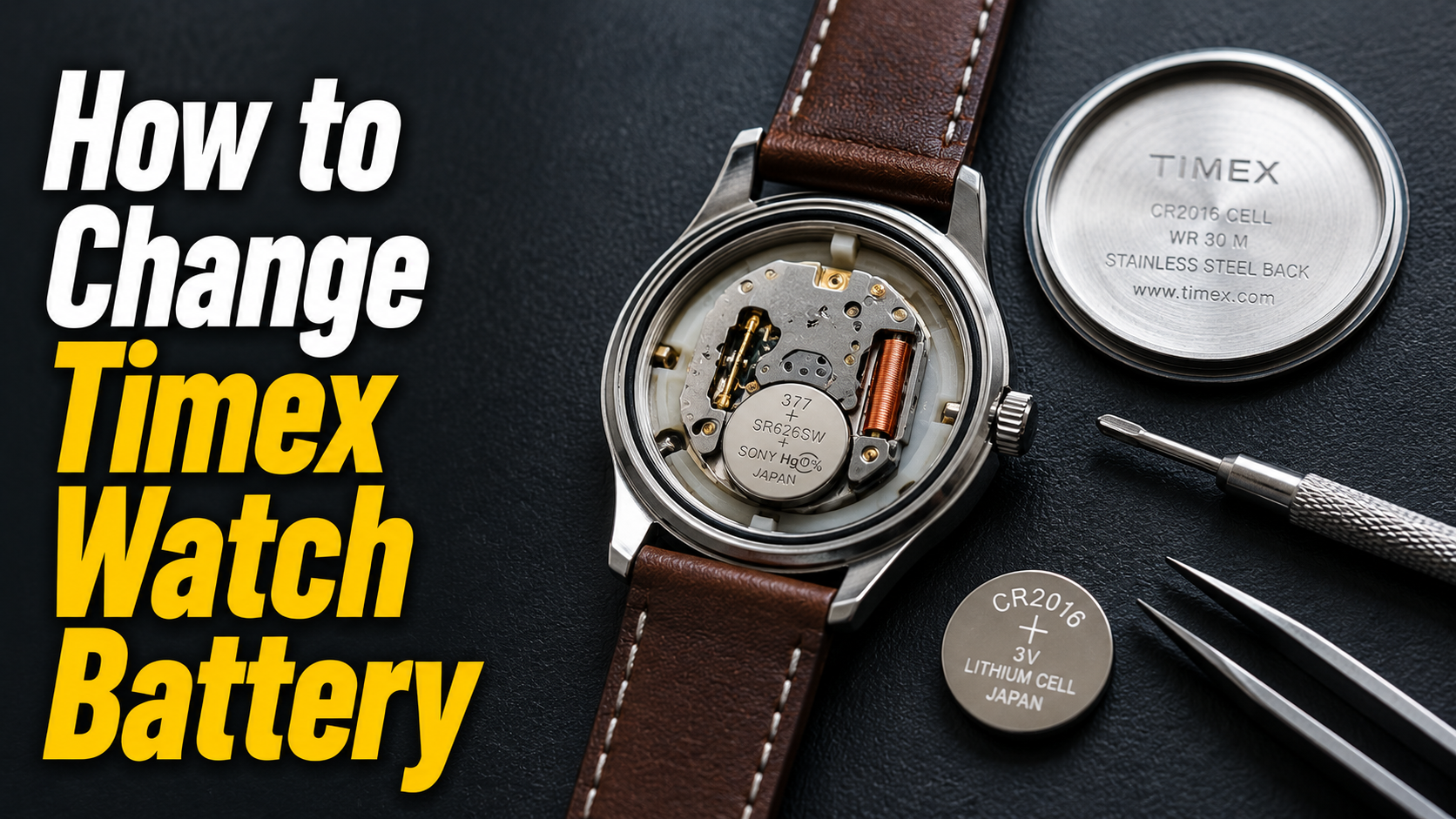
Changing a Timex watch battery at home is a simple task once you understand the correct process and have the right tools ready. Most Timex models use either a snap-back or screw-back case, and each type requires a slightly different opening technique.
- Understanding Your Timex Watch
- Types of Timex Watch Case Backs
- How to Identify Your Case Back Type?
- Common Timex Battery Types
- How to Find the Correct Battery for Your Specific Timex Model?
- Tools & Materials Needed
- Essential Tools
- Optional but Helpful Tools
- Where to Buy Replacement Batteries and Tools?
- Safety Precautions Before You Start
- Step-by-Step: Opening the Case Back
- How to Open a Snap-Back Case?
- How to Open a Screw-Back Case?
- How to Open a Case with Screws Around the Edge?
- Common Mistakes When Opening the Case
- Step-by-Step: Removing the Old Battery
- Noting Battery Orientation
- Releasing the Battery Retaining Clip
- Safely Lifting Out the Old Battery
- Inspecting for Corrosion or Damage
- Step-by-Step: Installing the New Battery
- Matching Battery Type and Size
- Correct Orientation Placement
- Securing the Retaining Clip
- Testing the Watch Before Closing
- Sealing the Watch Properly
- Checking and Cleaning the Gasket
- Reassembling the Case Back Correctly
- Ensuring Water Resistance is Maintained
- When to Get Professional Resealing?
- Troubleshooting Common Issues
- Watch Still Not Running After Battery Change
- Watch Running Fast or Slow After Replacement
- Battery Draining Quickly After Replacement
- Maintenance Tips for Longer Battery Life
- Avoiding Extreme Temperatures
- Minimizing Chronograph and Light Feature Usage
- Storing Watches Properly When Not in Use
- When to Seek Professional Help
- Frequently Asked Questions
- Conclusion
- Related Articles
With a few basic tools like a case opener, tweezers, and the correct replacement battery, you can complete the entire job in under fifteen minutes.
This guide walks you through every stage, from identifying your case type to sealing the watch back up safely. By the end, you will be able to handle future battery replacements confidently without needing to visit a repair shop every time.
Understanding Your Timex Watch
Every Timex model differs slightly in case design and battery specification, so identifying these details first prevents mistakes later. This section covers case types and how to find the exact battery your watch needs.
Types of Timex Watch Case Backs
Timex watches typically come with three case back styles: snap-back, screw-back, and screw-down backs held with small perimeter screws. Snap-back cases are the most common on casual and sport models, while screw-back designs appear on dressier or more water-resistant watches. Knowing which type you own determines which tool and technique you will use to open it.
How to Identify Your Case Back Type?
Flip your watch over and look closely at the back plate edges. A snap-back will show a thin visible seam with no screws or grooves, while a screw-back has notches or grooves for a wrench-style tool. If you spot four to six tiny screws around the rim, your watch uses a screw-down back requiring a mini screwdriver.
Common Timex Battery Types
Most Timex watches use one of a few standard silver-oxide button cell batteries. The table below lists the most frequently used types across popular Timex collections.

| Battery Type | Common Timex Use | Typical Diameter |
| SR626SW (377) | Standard analog watches | 6.8 mm |
| SR621SW (364) | Slim analog dress watches | 6.8 mm |
| SR920SW (371) | Ironman and sport models | 9.5 mm |
| SR927SW (395) | Larger analog and chronograph models | 9.5 mm |
How to Find the Correct Battery for Your Specific Timex Model?
Check the inside of the case back, where the battery type is often printed in small text. If it is worn off or unreadable, search your exact model number on the official Timex support page for confirmation. Buying the wrong size can damage the battery compartment or cause the watch to run inaccurately.
Tools & Materials Needed
Having the correct tools ready before you begin makes the entire process smoother and reduces the chance of scratching your watch. This section lists both essential and optional equipment along with safety advice.
Essential Tools
A case back opener or small flathead screwdriver, a pair of fine-tip tweezers, and the correctly sized replacement battery form the core toolkit. For screw-back models, a rubber gripper or watch case wrench is necessary to get enough turning grip. A soft cloth underneath your workspace also prevents scratches on the case surface.
Optional but Helpful Tools
A magnifying glass or jeweler’s loupe makes it easier to see small components and the polarity markings inside the case. A dedicated watch repair mat with a non-slip surface keeps tiny screws and parts from rolling away. Anti-static gloves are useful if you frequently work with electronic movements.
Where to Buy Replacement Batteries and Tools?
Replacement batteries and basic tool kits are widely available at pharmacies, hardware stores, and online marketplaces at affordable prices. Official Timex retail stores and authorized service centers also stock genuine batteries matched to specific models. Buying from a reputable seller reduces the risk of receiving a low-quality or mislabeled battery.
Safety Precautions Before You Start
Work on a clean, flat, well-lit surface to avoid losing small screws or parts during the process. Avoid touching the new battery’s flat surfaces with bare fingers, since oils can affect contact quality. Keep old batteries away from children and dispose of them properly once removed.
Step-by-Step: Opening the Case Back
Opening the case is the most delicate part of the entire process, since incorrect force can scratch or bend the case. Each case type listed below requires a distinct method to avoid damage.
How to Open a Snap-Back Case?
Locate the small notch or seam along the case edge and gently insert a case opener or flathead tool into the gap. Apply light upward pressure while rotating slightly until the back pops loose. Avoid excessive force, since snap-back cases usually only need a small, steady push to release.
How to Open a Screw-Back Case?
Fit a rubber gripper or case wrench snugly against the grooves on the case back and turn counter-clockwise. These backs are threaded, so they require rotation rather than prying to come off. Turn slowly and evenly to prevent the tool from slipping and scratching the case.
How to Open a Case with Screws Around the Edge?
Use a small precision screwdriver matching the screw head size to remove each screw carefully. Place the screws in a small dish immediately so none go missing during the process. Once all screws are out, the back plate should lift away without resistance.
Common Mistakes When Opening the Case
Forcing a snap-back case with too much pressure often results in visible scratches or a bent case rim. Using the wrong screwdriver size can strip small screw heads, making them difficult to remove later. Rushing this step is the most frequent cause of avoidable damage during battery replacement.
Step-by-Step: Removing the Old Battery
Once the case is open, removing the old battery correctly sets up an easy and accurate replacement. Pay close attention to orientation and any retaining mechanisms before lifting it out.
Noting Battery Orientation
Before touching the battery, observe which side faces upward, usually marked with a plus or minus symbol. Taking a mental note or a quick photo helps you install the new battery the same way. Reversing polarity can prevent the watch from running even with a fresh battery.
Releasing the Battery Retaining Clip
Many Timex movements hold the battery in place with a small metal clip or bracket. Gently push the clip aside using a plastic tool or the tip of tweezers, avoiding contact with the movement itself. Forcing the clip too hard can bend or break it permanently.
Safely Lifting Out the Old Battery
Once the clip is released, use tweezers to lift the battery straight out without twisting or tilting it. Avoid using metal tools directly on the movement, since they can cause short circuits or scratches. Set the old battery aside in a separate container for disposal.
Inspecting for Corrosion or Damage
Look closely at the battery compartment for any white or green residue, which indicates corrosion from a leaking battery. If corrosion is present, gently clean the contacts with a dry cotton swab before installing the new battery. Significant corrosion damage may require professional cleaning to restore proper function.
Step-by-Step: Installing the New Battery
Installing the new battery correctly ensures your watch starts running immediately and continues keeping accurate time. Matching size, orientation, and secure placement are the key factors here.
Matching Battery Type and Size
Double-check that the replacement battery’s code matches exactly what was removed, since even a slightly different size can affect fit. Reference the table from the earlier section if you are unsure which type your model requires. Using an incorrect battery can cause pressure issues inside the compartment.
Correct Orientation Placement
Place the new battery in the same direction as the one you removed, matching the plus and minus markings exactly. Press down gently with tweezers until it sits flush within the compartment. An improperly seated battery may not maintain consistent contact with the movement.
Securing the Retaining Clip
Carefully push the metal clip back into position so it holds the battery firmly without excessive pressure. Confirm the clip sits flat and does not lift on one side, which could cause loose contact over time. A secure clip prevents the battery from shifting when the watch is worn actively.
Testing the Watch Before Closing
Before closing the case, check whether the second hand starts moving or the digital display lights up. If nothing happens, recheck the orientation and clip placement rather than closing the case prematurely. Testing at this stage saves you from reopening a sealed watch unnecessarily.
Sealing the Watch Properly
Proper sealing restores your watch’s protection against dust, moisture, and daily wear after the battery change. This section explains gasket care and reassembly to maintain original water resistance.
Checking and Cleaning the Gasket
Examine the rubber gasket around the case rim for cracks, stretching, or debris that could compromise the seal. Wipe it gently with a dry cloth and replace it if it appears brittle or damaged. A compromised gasket is one of the most common causes of water damage after a battery change.
Reassembling the Case Back Correctly
Align the case back precisely with the case body before applying pressure to snap or screw it shut. For screw-back models, turn clockwise evenly until it feels snug without over-tightening. For screwed rims, replace each screw in its original position and tighten gently in a criss-cross pattern.
Ensuring Water Resistance is Maintained
Even with careful reassembly, opening the case can slightly reduce water resistance over time due to gasket wear. Avoid submerging the watch immediately after a DIY battery change unless you are confident about the seal. Pressure testing at a jewelry store can confirm whether resistance levels remain intact.
When to Get Professional Resealing?
If your watch is rated for swimming or diving, professional resealing after a battery change is strongly recommended. Service centers use pressure-testing equipment that home tools cannot replicate accurately. This step protects your investment, especially for higher-end water-resistant Timex models.
Troubleshooting Common Issues
Occasionally, a watch may not function correctly right after a battery replacement, even when the process seems complete. This section addresses the most frequent problems and their likely causes.
Watch Still Not Running After Battery Change
If the watch remains still, first check that the battery orientation matches the original placement exactly. Reopen the case and confirm the retaining clip is making full contact with the battery surface. In rare cases, the movement itself may need professional inspection if the issue persists.
Watch Running Fast or Slow After Replacement
A newly replaced battery that causes inaccurate timekeeping often points to a low-quality or expired battery. Try a fresh, name-brand battery of the exact specified type to rule out this cause. If the issue continues, the movement mechanism itself may need servicing.
Battery Draining Quickly After Replacement
Rapid drainage after a fresh replacement can indicate a short circuit within the movement or a manufacturing defect in the battery. Check for any visible debris or moisture inside the compartment that could be causing the issue. If the same problem repeats with multiple batteries, professional diagnosis is recommended.
Maintenance Tips for Longer Battery Life
Simple daily habits can extend the life of your new battery significantly beyond its average lifespan. This section covers practical steps to reduce unnecessary power drain.
Avoiding Extreme Temperatures
Extreme heat or cold affects battery chemistry and can shorten its functional lifespan considerably. Avoid leaving your watch in direct sunlight, hot cars, or freezing conditions for extended periods. Storing it at moderate room temperature helps preserve battery performance.
Minimizing Chronograph and Light Feature Usage
Frequent use of chronograph timers, alarms, or backlight features draws noticeably more power than standard timekeeping. Reserve these features for when you genuinely need them rather than casual use. This small habit change can add months to your battery’s overall lifespan.
Storing Watches Properly When Not in Use
If you are not wearing your Timex watch for an extended period, store it in a cool, dry place away from moisture. Consider removing the battery entirely for storage periods longer than several months to prevent leakage. Proper storage habits protect both the battery and the internal movement.
When to Seek Professional Help
While most battery replacements are straightforward, certain situations call for professional assistance rather than a DIY attempt. This section outlines when that choice makes more sense.
Signs You Should Not DIY
If your watch is a valuable collector’s piece, has a complicated case design, or you lack the correct tools, professional help is safer. Persistent corrosion, a stuck case back, or repeated timekeeping issues after replacement also signal it’s time for expert attention. Attempting repairs beyond your comfort level risks permanent damage.
Cost Comparison: DIY vs. Professional Battery Replacement
DIY replacement typically costs only the price of the battery itself, often just a few dollars. Professional replacement at a jewelry store or Timex service center usually includes labor and resealing, costing noticeably more. The right choice depends on how much you value convenience, warranty protection, and guaranteed water resistance.
Frequently Asked Questions
How often do Timex batteries need replacing? Most Timex batteries last between one and three years, depending on the model and feature usage.
Can I use any battery brand? You can use any brand as long as the battery code and size match your watch’s specifications exactly.
Is it safe to change the battery myself? Yes, it is safe for most standard models if you use correct tools and follow each step carefully.
Will changing the battery affect water resistance? Opening the case can slightly reduce water resistance, so professional resealing is recommended for water-rated watches.
What do I do with the old battery? Take old batteries to a recycling center or retailer that accepts battery disposal, since they should never go in regular trash.
Conclusion
Learning how to change a Timex watch battery is a practical skill that saves both time and money over the years.
With the right tools, careful attention to orientation, and proper sealing, most replacements go smoothly without any complications. For water-resistant or valuable models, professional resealing remains the safer long-term choice to protect your investment.
Related Articles
How Long Do Car Key Batteries Last? Full Lifespan Guide
How Long Do Tesla NCA Batteries Last? Lifespan, Mileage & Care Guide