


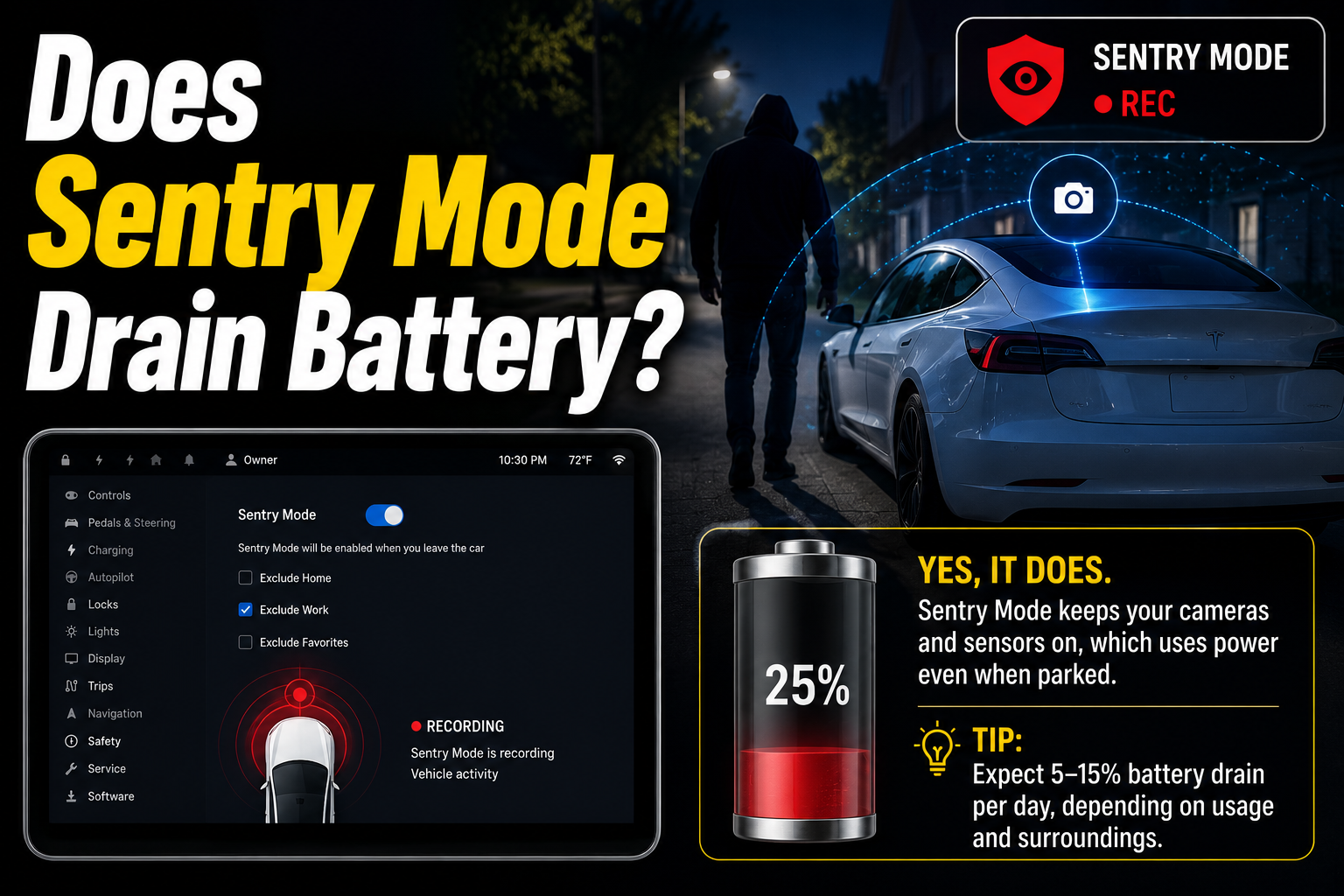
Yes, Sentry Mode drains your Tesla’s battery, because it keeps the computer and cameras awake to watch the car while it is parked. The good news is that it is not as dramatic as it sounds. On current software it uses roughly 1% of the battery an hour, or about a mile of range, and your car will not let it run the battery flat. Sentry Mode shuts itself off once the charge drops to 20%. So the real question is not whether it drains the battery, but how much, and how to keep that drain small.
How much battery does Sentry Mode use?
Sentry Mode uses about 1% of your battery per hour, which works out to roughly one mile of lost range for each hour it runs. On a full day parked, that adds up to somewhere between 7% and 14% of the pack, depending on your model and how busy the surroundings are. Here is what that looks like over common time periods.
| Time parked | Rough battery used | Roughly in range |
| 1 hour | About 1% | About 1 mile |
| Overnight (12 hours) | About 5% to 7% | About 10 to 15 miles |
| Full day (24 hours) | About 7% to 14% | About 20 to 25 miles |
| A week (unplugged) | Most of the pack | Can reach the 20% cutoff |
These are rough averages, not exact figures. The real number swings with a few things: how much movement happens near the car (a busy street triggers more activity than a quiet driveway), the outside temperature, your exact model and computer hardware, and your software version. Tesla released an efficiency update in late 2024 that noticeably cut Sentry Mode’s power use, so newer cars on recent software do better than the older numbers you may have seen quoted.
For a daily driver that gets plugged in or charged every few days, this drain is easy to absorb. It only becomes a problem when the car sits for a long time without a charge.
Why Sentry Mode uses so much power
Sentry Mode draws power because it keeps the whole car partly awake instead of letting it sleep. A parked Tesla normally drops into a low-power sleep to save energy. Sentry Mode blocks that sleep so the car can react instantly to something happening around it.
To do its job, it keeps the external cameras powered and feeds their video to the car’s main computer, which watches for people or motion nearby. Running that computer and processing several camera feeds at once is the biggest part of the draw, measured at around 250 to 300 watts on many cars. That is a small load compared to driving, but it runs every minute the car is parked, so it builds up over hours and days.
The draw also rises when Sentry Mode actually detects something. When it moves from quietly watching into an alert, it records video and can flash the screen or sound the alarm, and that spike uses more power than idle monitoring. A car parked somewhere busy will use more than one left in a calm spot for the same number of hours.

The 20% safety cutoff: will it kill my battery?
No, Sentry Mode will not leave you with a dead car, because Tesla built in a safety cutoff. Once your battery drops to 20%, Sentry Mode turns itself off automatically. This protects you from returning to a car that cannot drive, and it leaves plenty of charge to get to a charger.
The trade-off is that below 20% your car is no longer being watched, so it is more exposed to theft or vandalism at exactly the point the battery is low. That matters most if you park somewhere risky for a long stretch. For everyday use, the cutoff is a helpful backstop you will rarely hit.
Peace of mind: even if you forget Sentry Mode on for days, the 20% cutoff means it stops before it can strand you. It saves the battery, but it also stops guarding the car, so plan longer stays around a charger.
There is one more limit worth knowing. If your range is getting low, the car may switch Sentry Mode off on its own to make sure you keep enough energy to reach where you are going.
Does it harm the battery long term?
Using Sentry Mode does not wear out your battery in any meaningful way. The drain it causes is just normal energy use, the same kind of draw as running the air conditioning or the screen. It is not a deep discharge that damages the cells, and topping the car back up afterward is routine charging.
The one habit worth keeping is not letting the car sit at a very low charge for a long time. That advice is true for any electric car, with or without Sentry Mode. As long as you recharge normally and do not leave the battery near empty for weeks, Sentry Mode is not something your battery health needs protecting from.
It is also worth noting that leaving Sentry Mode on all the time keeps the car from entering its deepest sleep, which some owners like to allow now and then so the car can rest and recalibrate. That is a convenience point, not a battery-damage concern.
How to reduce Sentry Mode battery drain
You do not have to choose between security and range. A few simple settings cut the drain sharply while keeping the car protected where it matters. Work through these.
- Plug in whenever you can. This is the single best fix. If the car is connected to power, even a standard household outlet, Sentry Mode runs essentially for free because the charger offsets what it uses. Parked at home or work with a plug nearby? Use it.
- Exclude safe locations. In Controls > Safety > Sentry Mode, turn on Exclude Home, Exclude Work, and Exclude Favorites for places you trust, like a locked garage. Sentry Mode then arms everywhere else but leaves the car to sleep where it is already safe. Your car needs to be within about 500 metres of the saved location for this to work.
- Turn it off for long stays. If you are parking at an airport for a week or leaving the car unused for days without a charger, switch Sentry Mode off. It is not built for long-term parking and will steadily eat the battery if left on.
- Avoid apps that keep waking the car. Some third-party Tesla apps repeatedly check on the car and stop it from sleeping, which adds to the drain on top of Sentry Mode. Stick to one well-behaved app and check how often it polls the vehicle.
- Keep your software up to date. Tesla has improved Sentry Mode’s efficiency through updates, so staying on the latest firmware means you get the lowest power use available for your car.
For the exact menu steps and the latest behaviour on your specific model, Tesla’s own Sentry Mode owner’s manual page is the most reliable reference.
When to turn Sentry Mode off
Sentry Mode is worth leaving on in public and unfamiliar spots, and worth turning off where the car is already safe or will sit a long time. A quick way to decide:
- Leave it on: street parking, public lots, unfamiliar areas, anywhere you would worry about the car, especially for short to medium stays.
- Turn it off (or exclude the spot): a locked home garage, a secure workplace, or any time the car will be parked for many days without a charger.
Matching the setting to where you park gives you the protection when you want it and saves the range when you do not.
Conclusion
Sentry Mode does drain the battery, at roughly 1% an hour or about a mile of range, adding up to somewhere around 7% to 14% over a full day. But it will not strand you, because it shuts off at 20%, and it does no lasting harm to the battery. The smart approach is simple: plug in when you can, exclude safe places like your home garage, and turn it off for long stays without a charger. Do that and you keep the security without watching your range disappear.
Frequently asked questions
How much battery does Sentry Mode use per hour? About 1% of the battery per hour, which is roughly one mile of range. Over a full day that is around 7% to 14%, depending on your model, software version, and how much activity happens near the car.
Will Sentry Mode drain my battery to zero? No. Sentry Mode automatically turns off when the battery reaches 20%, leaving enough charge to drive to a charger. It saves the battery, though it also stops guarding the car below that level.
Is Sentry Mode bad for the battery long term? No. The drain is normal energy use, not a damaging deep discharge. Just avoid leaving the car sitting at a very low charge for weeks, which is good advice for any EV regardless of Sentry Mode.
Does Sentry Mode work while plugged in? Yes, and this is the best way to use it. When the car is charging or connected to power, Sentry Mode runs with little or no net battery loss because the charger offsets what it uses.
How do I stop Sentry Mode from draining my battery at home? Turn on Exclude Home in Controls > Safety > Sentry Mode so it does not arm in your driveway or garage, or simply keep the car plugged in there. Both keep the drain near zero at home.
Related Articles
Do Batteries Go Out of Date? What the Date Means
Do All Solar Lights Have Batteries?
How to Connect Two Batteries in Parallel: A Step-by-Step Guide