


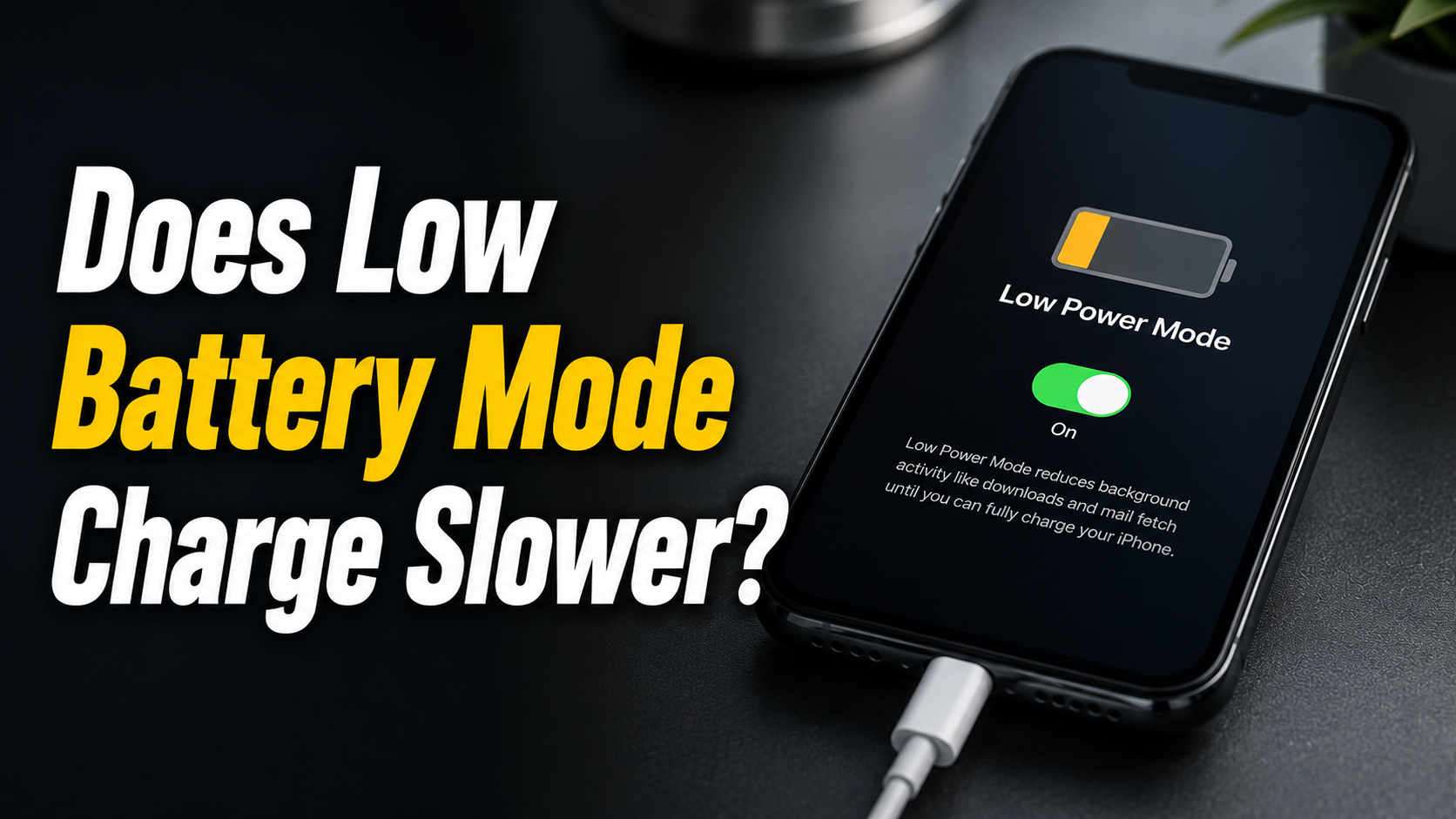
Many smartphone users switch on low battery mode the moment their charge drops below twenty percent, hoping it will help the device power up faster. The short answer is that low battery mode does not charge slower, and in most cases it makes no measurable difference to charging speed at all.
- What Is Low Battery Mode (Low Power Mode)?
- Does Low Battery Mode Slow Down Charging? (Direct Answer)
- What Low Power Mode Actually Does?
- What Actually Affects Charging Speed?
- Does Charging Automatically Turn Off Low Power Mode?
- Should You Charge in Low Power Mode?
- Tips to Charge Your Phone Faster
- Common Myths About Low Power Mode and Charging
- FAQs
- Does Low Power Mode drain the battery faster while charging?
- Does Airplane Mode charge faster than Low Power Mode?
- Is it bad to leave Low Power Mode on all the time?
- Conclusion
- Related Articles
This feature was designed to extend battery life during use, not to control how quickly a phone fills back up when plugged in. Charging speed depends almost entirely on the charger, the cable, and the phone’s internal hardware rather than any software setting.
Still, confusion around this topic is common because low power mode does change how the phone behaves in several noticeable ways. This guide breaks down exactly what low battery mode does, what actually controls charging speed, and how to charge your phone faster when you need it most.
What Is Low Battery Mode (Low Power Mode)?
Before understanding its effect on charging, it helps to know what low battery mode actually is and how it functions differently across devices. The next two sections explain how this setting behaves on iPhone and Android.
How It Works on iPhone?
On iPhone, Low Power Mode is a built-in setting that automatically reduces background activity to save battery during use. It dims the screen slightly, pauses automatic downloads, reduces mail fetching, and limits background app refresh. None of these adjustments touch the charging circuit, so plugging in while Low Power Mode is active does not change charging speed.
How It Works on Android? (Battery Saver)
Android’s Battery Saver works on a similar principle, limiting background data, location services, and visual effects to conserve power. Depending on the manufacturer, it may also throttle processor performance to reduce energy consumption during regular use. Like Apple’s version, Battery Saver has no direct connection to the charging hardware, so it does not slow down or speed up charging on its own.
Does Low Battery Mode Slow Down Charging? (Direct Answer)
No, low battery mode does not slow down charging, and this is the direct answer to the common question of whether low battery mode charges slower. Charging speed is controlled by the power adapter, the cable, and the phone’s battery management system, all of which operate independently of this power-saving setting.
More EV News

If anything, some users notice a phone charges marginally faster in low power mode simply because fewer background processes are competing for power while the battery replenishes. The improvement is usually too small to notice in everyday use, but it disproves the idea that this mode works against charging speed.
What Low Power Mode Actually Does?
Rather than affecting charging directly, low power mode changes several background behaviors that lower overall energy use. The three areas below cover where most of that impact happens.
Background App Restrictions
Apps running in the background are one of the biggest silent drains on battery life, refreshing content and syncing data even when not actively open. Low power mode restricts this behavior, pausing non-essential background refresh so apps only update when opened directly.
This reduces battery drain during use but has no bearing on how quickly the battery fills once the phone is connected to a charger.
Reduced Screen Brightness & Timeout
The screen is typically the single largest consumer of battery power on any smartphone, especially at higher brightness levels. Low power mode often reduces default brightness and shortens the auto-lock timer so the display turns off sooner when idle.
These adjustments save battery while the phone is in active use, but they play no role in the charging process itself.
Limited Auto-Downloads & Sync
Automatic downloads, cloud backups, and app updates can quietly use both data and battery in the background throughout the day. Low power mode pauses these automatic tasks until the setting is turned off or the battery reaches a safer charge level.
Pausing these tasks conserves energy during use, though it does not influence the speed at which the battery charges when plugged in.
What Actually Affects Charging Speed?
Since low battery mode is not responsible for charging speed, it is worth understanding what factors genuinely make a difference. The sections below outline the real contributors, followed by a quick comparison table.
Charger Wattage
The wattage of the charging adapter is one of the strongest factors influencing how fast a phone charges. A higher-wattage charger paired with a phone that supports fast charging can restore battery levels significantly quicker than a standard charger. Using a low-wattage or mismatched charger is one of the most common reasons people notice slower charging speeds.
Cable Quality
Not all charging cables are built the same, and a damaged, low-quality, or non-certified cable can restrict how much power passes through. Even with a powerful charger, a poor-quality cable can bottleneck charging speed and prevent fast charging from working as intended. Using an original or certified cable helps ensure the full charging capability of the adapter and phone is being used.
Battery Health/Age
As a battery ages, its internal chemistry naturally degrades, which can affect both how much charge it holds and how quickly it accepts power. Phones often slow down charging automatically as a protective measure once battery health drops below a certain threshold. This is a hardware-related change tied to battery wear, not something caused by software settings like low power mode.
Phone Usage While Charging
Actively using the phone while it charges, especially for tasks like gaming or video streaming, draws power at the same time it is being replenished. This creates a tug-of-war between power going in and power being used, which can noticeably slow the overall charging process. Letting the phone charge with the screen off or in standby allows all incoming power to go toward filling the battery.
| Speeds Up Charging | Slows Down Charging |
| High-wattage, fast-charging compatible adapter | Low-wattage or mismatched charger |
| Original or certified charging cable | Damaged, worn, or uncertified cable |
| Healthy, newer battery | Aged battery with reduced capacity |
| Phone idle or powered off while charging | Heavy usage (gaming, streaming) while charging |
| Cool, well-ventilated charging environment | Extreme heat or cold during charging |
Does Charging Automatically Turn Off Low Power Mode?
On iPhones, Low Power Mode is designed to automatically switch off once the battery reaches 80 percent charge, since its main purpose is to help during low-battery situations rather than remain on permanently.
Android devices vary by manufacturer, with some models keeping Battery Saver active until manually turned off regardless of charge level. This distinction is worth knowing, though it still has no connection to charging speed and only reflects how each operating system manages the feature.
Should You Charge in Low Power Mode?
There is no real downside to charging a phone while low power mode is switched on, and doing so will not slow the process down in any meaningful way.
Keeping it on during charging can even be convenient, since it maintains reduced background activity until the battery reaches a comfortable level.
The only reason to turn it off is personal preference, such as wanting full app performance and background refresh restored immediately once the phone is plugged in.
Tips to Charge Your Phone Faster
For anyone genuinely looking to speed up charging times, the following practices make a measurable difference. Each one addresses a real factor rather than a myth like low power mode.
Use Original/Certified Chargers
Using the charger and cable that came with the phone, or a certified third-party alternative, ensures the correct voltage and current are delivered safely.
Certified accessories are tested to match the phone’s fast-charging capabilities without the risk of underpowering or damaging the battery.
Uncertified or generic accessories often fail to reach the phone’s full charging potential, resulting in noticeably slower charging times.
Turn Off Phone or Use Airplane Mode
Switching the phone off entirely during charging removes all background power draw, allowing the charger to work at full efficiency.
Airplane mode offers a similar benefit by disabling cellular, Wi-Fi, and Bluetooth radios that otherwise consume power in the background. Either option can shave meaningful time off a full charge compared to using the phone normally while it charges.
Avoid Extreme Temperatures
Charging in very hot or very cold environments can cause the battery management system to slow down charging as a safety precaution. High heat is particularly damaging, as it accelerates battery degradation and can trigger thermal throttling of the charging rate. Charging in a cool, well-ventilated space helps the battery accept power at its intended speed without added strain.
Common Myths About Low Power Mode and Charging
Several misconceptions continue to circulate about low power mode and charging behavior. One common myth is that leaving low power mode on permanently damages the battery, when in reality it has no negative effect on battery longevity.
Another misconception is that turning on low power mode while charging will make the phone charge faster, which is not accurate since the mode does not interact with the charging circuit at all.
A third myth suggests that fast charging only works with low power mode disabled, but fast charging protocols function independently of this setting on both iPhone and Android devices.
FAQs
Does Low Power Mode drain the battery faster while charging?
No, Low Power Mode does not drain the battery faster during charging. It reduces background activity, which typically supports charging rather than working against it.
Does Airplane Mode charge faster than Low Power Mode?
Airplane Mode can charge marginally faster since it disables all wireless radios, while Low Power Mode only limits background tasks and screen brightness.
Is it bad to leave Low Power Mode on all the time?
No, leaving Low Power Mode on constantly is not harmful to the phone or battery, though some background features will remain limited until it is turned off.
Conclusion
Low battery mode does not charge slower, and this remains true across both iPhone and Android devices regardless of manufacturer. The feature was built to extend battery life during active use, not to interfere with the charging process in any way.
Real charging speed comes down to the charger’s wattage, the quality of the cable, the phone’s battery health, and how the device is used while plugged in. Many articles online repeat this myth without explaining the actual mechanics behind charging speed, which only adds to the confusion around the topic.
Related Articles
How to Change Timex Watch Battery: Easy Step-by-Step Guide
How Long Do Car Key Batteries Last? Full Lifespan Guide
How Long Do Tesla NCA Batteries Last? Lifespan, Mileage & Care Guide